
[ SPECIAL DISCOUNT CODE BELOW!! ]


This Sudio T2 is also Splash Proof with up to 35 hours of battery life, which I find it truly convenient especially for those whom are always on the go as well as for during workout. The charging case definitely helps when we’re outside, and yeah no worries if our sweat or some rain gets to it too.


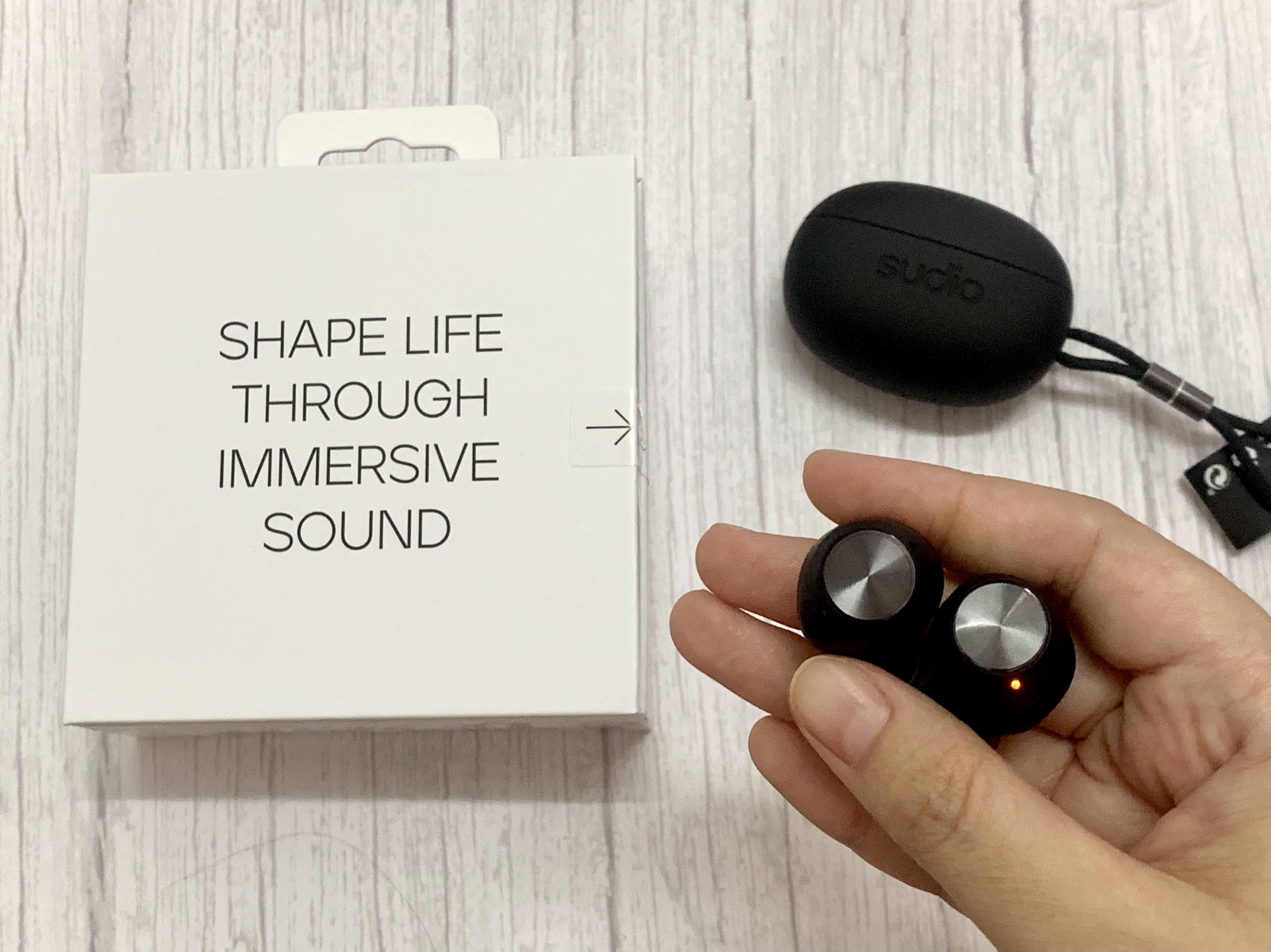
Alright as seen on my Tiktok and IG, I’ve posted an unboxing video of this new drop from Sudio, which is the Sudio T2 wireless earphones. Since I can only share briefly there upon what I think, so here you go, I’m pouring my full thoughts and details regarding this Sudio T2 here for you all.
Below are my unboxing video, in case you haven’t or want to watch it yea :
@qeelalalala Full ##review up soon on my blog, link in IG bio 🔥 ##unboxing ##SudioT2 ##Sudio ##earphones ##earbuds ##fyp ##gadget ##music ##foryou ##tech ##wirelessearbuds
♬ edamame - bbno$

Alright so, around last week, Sudio had released this Sudio T2 on their website, which said it’s designed for more life, along with being an immersive sound on the go. Comes with 4 pretty colours to choose from, which are Black, Sand, White and Jade in such compact design. To be frank, I’m torn between Black and Sand, yet of course stick with Black colour since loves that the most, aside from I already have other Sudio in Sand before hehe. So, hello Black T2!

4 colour choices of Sudio T2


Truly excited upon receiving my parcel, which indeed Sudio is by far maintaining it’s swift (took only 4 days to reached to my doorstep!) and free delivery, even from Sweden to Malaysia, thumbs up Sudio! Packaging is great as per usual, and I manage to directly try the Sudio T2 since it's still filled with it's battery life yassss! But yeah you shouldn't followed my step there since it's better to charge it fully first before using it okayy, my bad heheh.
Okay, from what I gathered, this Sudio T2 is indeed keeping up to what it’s said it’ll be, since I can notice their active noise cancellations function as well as how crisp and clear the sound and the bass are upon listening to music, which they definitely are able to creates a deeper and immersive listening experience as said. The bass is satisfying, I can feel the drums beating and the guitar slaying, along with such clear vocal and every other instruments in the background as well, even the echo vibing, boyyy I truly enjoy listening to my playlist using this Sudio T2! Also, it's easy to connect to it even for first time as well as every other time, again, good job Sudio for always making it easier to connect.

Such a lovely experience to listen using Sudio T2!
Such pleasant to listens to my The Strokes and other playlist with this!

General product information of this Sudio T2

Active noise cancelling technology : Beamforming microphones control environmental noise
for clearer call, while it’s dynamic driver deliver crisp & uncompromising sound.


In addition, I love how I can use it for up to 2 hours with just a quick 10 minutes power up charging if I forget to charge it beforehand. FYI, I can have roughly around 7-8 hours of listening time on one charge, which I think are plenty enough for a back to back listening time at one time right.
More over, this Sudio T2 comes with newly shaped ear tips which manage to offer such perfect balance of fit and comfort to any ear, which I already tried jumping, running, laying down, tilting my head sideways and all while listening to it, I gotta say that it pass nicely indeed hehe. Oh and of course, it’s also comes with different extra pairs of ear tips, sizes ranging from size XS to L (kindly refer to my pics below yea), so that we can choose which pair that fit us better. As for me, XS fit me comfortably and I can wear them in such longer time without getting any ear ache as well.


As for the microphones, it’s able to keep my voice loud and clear with it’s dual beamforming microphone array features in each earphones, as it manage to reduce ambient noises while capturing my voice and analyzing the sound waves. Hence, it’s good indeed to use for talking while we're in online meeting or while we're on the phone.
As of today, I’ve been trying it for few days now since I received it and so far so good, as I couldn’t think / experience any cons yet while using it. I'll update here in case I came across any okayy guys. Other than that, the packaging is good, size is nice, comfy, and fit my lifestyle well. As always, it comes with 3 years warranty from Sudio Sphere, so I think it’s a good grab indeed. You can also find that this Sudio T2 got 4.8 star ratings on the site as well, which got variety of good feedbacks from customers all around.

Some of the review on the website
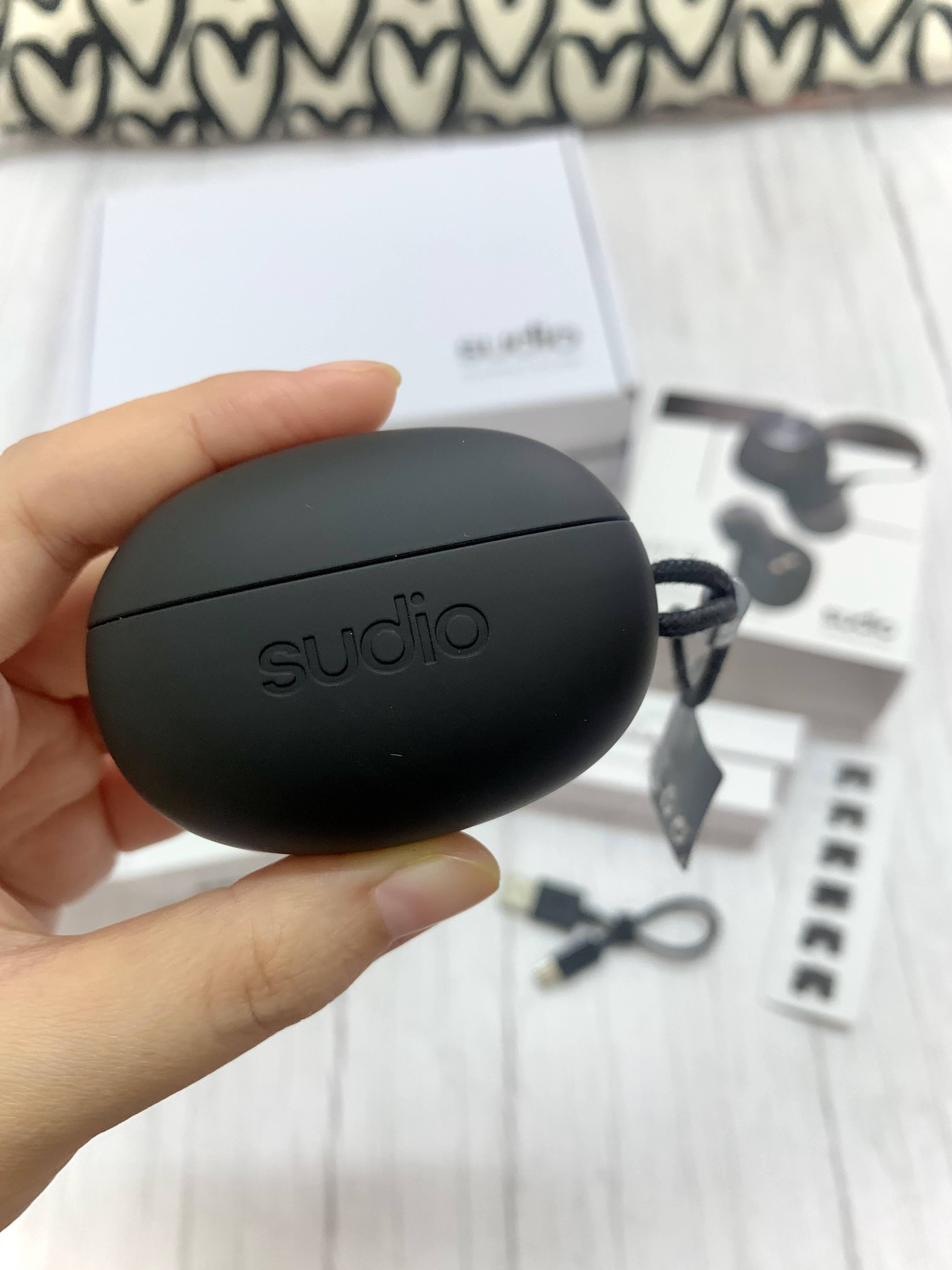
Love the smooth feel of the case


Since I'm a hijabi and can't really show you how I wear it,
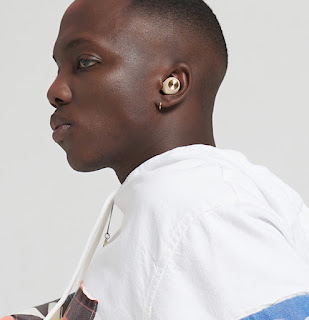
these are the examples upon wearing this Sudio T2 yeaa, fit comfortably indeed!
In case you guys interested to purchase or wanna see for yourself more deets or wanna ask Sudio via live chat, you guys can do so by going to their website via this link here okayy :
Aside from that, feel free to use my discount code : QEELAT2 in order to get 15% discounts of your purchase there too, so yess for more saving hehe! The price for this Sudio T2 is RM549 with free shipping worldwide okayy 👍🏻
Well, I guess that’s all for this time. May my sharing here can be beneficial to you guys, and feel free to share what you think of it or perhaps your own experience upon using this Sudio T2 in case you have it too, I’m looking forward to read it. Till then, thanks for stopping by and have a great weekend and ahead okayy lovelies! Take care all!
❤️


 Posts


